Animal Hospital 3D Sandbox
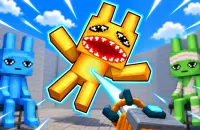
Animal Hospital 3D Sandbox is a casual physics sandbox where almost anything can become part of your next ridiculous experiment. Build structures, grab characters, launch cars, or simply press a few buttons and watch everything go wrong. Open worlds give you plenty of space for creative chaos without strict missions or timers. Create something ridiculous and see what happens!

GAMEPLAY THAT GIVES YOU FULL CONTROLS
Animal Hospital 3D Sandbox lets you place blocks, build houses, create arenas, and set traps before smashing your masterpiece apart. The fun begins with an empty world and a toolbox that can turn innocent scenes into complete nonsense. The gravity gun makes the chaos even better, since you can lift characters, cars, doors, and random objects before throwing them somewhere completely unreasonable.

Choose a world first, then start experimenting with ragdoll characters, vehicles, weapons, and objects. Each location in Animal Hospital 3D Sandbox gives your ridiculous ideas a different playground.
- Flat Arena: Open space for unrestricted experiments.
- Modern Villa: Spacious home filled with possibilities.
- City Hospital: Urban medical setting for mayhem.
- Shopping Mall & Car Park: Busy areas for vehicle chaos.
- Village: Quiet surroundings ready for disruption.
- Medieval Castle: Ancient walls for creative battles.
- Prison: Confined spaces packed with possibilities.
- Galleon: Large ship setting above water.
How the Chaos Activates
Ragdolls react to impacts and explosions in wonderfully unpredictable ways. Friendly characters wander, chat, sit, and drive until something disrupts their routine. Hostile characters can hunt and attack, creating sudden conflicts across the map. Vehicles spin, drift, crash, and react to physics when players start pushing the world around.
CONTROLS FOR YOUR SANDBOX
- WASD / Arrow Keys: Move around the world.
- Spacebar: Jump.
- [Q]: Open the item menu.
- [F]: Enter vehicles, open doors, and pull levers.
- Left Mouse Button: Build, shoot, or grab objects.
- Right Mouse Button: Break or throw objects.